
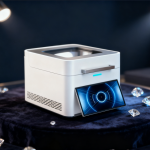
 Xrf Gold Analyzer
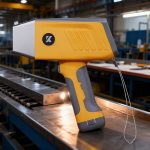 Handheld Alloy Analyzer
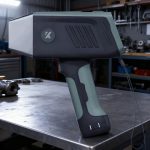 Handheld Mining Analyzer
 Other XRF Analyzer
Gold Tester Daily Maintenance: 10 Expert Tips to Extend Lifespan & Ensure Accuracy
If you rely on a gold tester for jewelry appraisal, mining exploration, or precious metal recycling, regular maintenance isn’t just a “nice-to-do”—it’s the key to consistent accuracy, prolonged device lifespan, and avoiding costly downtime. Whether you use a handheld XRF gold analyzer or a benchtop model (like WiserMachine’s industry-leading devices), neglecting daily upkeep can lead to skewed results, component wear, and premature failure. In this comprehensive guide, we’ll share 10 actionable, expert-backed maintenance tips to keep your gold tester performing at its best. We’ll also address common pitfalls, answer FAQs, and provide a downloadable maintenance checklist to streamline your routine.

Why Gold Tester Daily Maintenance Matters
Before diving into the specifics, let’s clarify why proactive maintenance is non-negotiable for gold testing equipment:
- Accuracy Preservation: Gold testers—especially XRF models—rely on precise sensors, detectors, and calibration to measure metal purity (e.g., 24K, 18K) and element composition. Dust, debris, or misalignment can throw off readings by 0.5% or more, leading to financial losses (e.g., overvaluing impure gold or undervaluing high-purity metals).
- Cost Savings: A well-maintained gold tester can last 5–7 years, while neglected devices often fail in 2–3 years. Replacing core components (like X-ray tubes or detectors) costs thousands of dollars—far more than the time invested in daily care.
- Compliance & Reliability: For businesses in regulated industries (e.g., jewelry retail, mining), accurate test results are required for legal compliance and customer trust. A poorly maintained tester risks non-compliance with standards like ISO 9001 or regional metrology regulations.
- Operational Efficiency: Downtime due to device breakdowns can disrupt workflows—whether you’re a jeweler processing daily orders or a mining team conducting on-site tests. Routine maintenance minimizes unexpected failures and keeps operations running smoothly.
Now, let’s break down the 10 critical daily maintenance steps for your gold tester.
1. Clean the Device Externally After Each Use
Dirt, oil, and sample residue are the biggest enemies of gold tester performance. Here’s how to clean your device properly:
- Gather Supplies: Use a microfiber cloth (lint-free to avoid scratching), isopropyl alcohol (70–90% concentration), and a soft-bristled brush (e.g., a clean makeup brush or camera lens brush). Avoid abrasive materials (e.g., paper towels, steel wool) or harsh chemicals (e.g., bleach, ammonia), which can damage the casing, display, or sensors.
- Wipe the Casing: Dampen the microfiber cloth with isopropyl alcohol (don’t soak it) and gently wipe the entire exterior of the device—including the handle, buttons, and base. Pay extra attention to areas where fingers frequently touch (e.g., control panels) to remove oil and sweat.
- Clean the Probe/Detector Window: The detector window (a thin, transparent film on XRF models) is the most sensitive part of the device. Use the soft-bristled brush to remove loose dust, then wipe the window with a alcohol-dampened microfiber cloth in a circular motion. Never press hard—this can scratch or crack the window, which is expensive to replace.
- Dry Thoroughly: Allow the device to air-dry for 5–10 minutes before storing or using it. Ensure no alcohol residue remains, as this can attract dust or interfere with sample contact.
Pro Tip: For handheld gold testers used in dusty environments (e.g., mining sites), carry a small cleaning kit in your toolbag to clean the device between samples. This prevents buildup that can affect detection accuracy.
2. Protect the Probe and Detector from Physical Damage
The probe (on handheld models) or sample chamber (on benchtop units) is critical for accurate readings—even minor damage can render the device unreliable. Follow these guidelines to protect it:
- Handle with Care: Never drop or bump the device, especially the probe. Use the carrying case provided by the manufacturer (e.g., WiserMachine’s shockproof cases) when transporting the tester to prevent impact damage.
- Avoid Contact with Hard Surfaces: When placing the probe on a sample, apply gentle pressure—never press it against metal edges, sharp objects, or rough surfaces. For irregularly shaped samples (e.g., jagged 矿石), use a sample holder to stabilize the material and protect the probe.
- Inspect for Damage Daily: Before use, check the probe window for cracks, scratches, or residue buildup. If you notice damage, stop using the device immediately—continuing to operate it can further harm the detector and produce inaccurate results. Contact the manufacturer for repairs.
- Store Properly: When not in use, keep the probe covered with the protective cap (included with most models) to prevent dust, debris, or accidental scratches. For benchtop testers, close the sample chamber door to shield internal components from dust.
3. Maintain Battery Health (for Handheld Gold Testers)
Handheld gold testers rely on rechargeable batteries—poor battery maintenance is a top cause of unexpected downtime. Follow these steps to maximize battery life:
- Charge Correctly: Use only the manufacturer-approved charger (e.g., WiserMachine’s original chargers) to avoid overcharging or damaging the battery. Never use third-party chargers, which may have incompatible voltage or current levels.
- Avoid Overcharging: Most gold tester batteries use lithium-ion (Li-ion) technology, which degrades when left plugged in for extended periods (e.g., overnight). Unplug the charger once the battery reaches 100%—many modern devices have auto-shutoff features, but it’s still best to monitor charging.
- Store Batteries Properly: If you’re not using the device for more than a week, charge the battery to 50% before storing it. Li-ion batteries degrade faster when fully charged or fully discharged for long periods. Store the battery (and device) in a cool, dry place (50–77°F / 10–25°C) away from direct sunlight or extreme temperatures.
- Replace Old Batteries: Li-ion batteries typically last 2–3 years with regular use. If you notice a significant drop in battery life (e.g., the device dies after 1–2 hours of use, even with a full charge), it’s time to replace the battery. Use only genuine replacement batteries from the manufacturer to ensure compatibility and safety.
- Calibrate Battery Settings: Some advanced gold testers allow you to calibrate the battery gauge to display accurate remaining charge. Check your user manual for instructions—this prevents unexpected shutdowns due to incorrect battery level readings.
4. Keep the Sample Chamber Clean (for Benchtop Models)
Benchtop gold testers have enclosed sample chambers that collect dust, sample particles, and residue over time. A dirty sample chamber can cause inconsistent readings or damage internal components:
- Clean After Each Batch of Samples: After testing multiple samples, use a soft brush or vacuum (with a small nozzle attachment) to remove loose debris from the sample chamber. Pay attention to corners, crevices, and the sample stage—these areas trap dust and particles.
- Wipe the Sample Stage: Use a alcohol-dampened microfiber cloth to wipe the sample stage (where the material rests during testing). This removes oil, residue, or corrosive substances (e.g., from acidic samples) that can stain or damage the stage.
- Check for Corrosion: If you test samples with high moisture content or corrosive properties (e.g., plated metals, recycled materials), inspect the sample chamber for rust or corrosion weekly. If corrosion is present, clean the area with a mild rust remover (approved by the manufacturer) and dry thoroughly.
- Replace Worn Sample Holders: Many benchtop testers come with removable sample holders (e.g., for small jewelry pieces or powder samples). If a holder is cracked, worn, or contaminated, replace it to ensure consistent sample positioning—poor positioning leads to inaccurate readings.
5. Perform Regular Calibration Checks
Calibration is the process of adjusting your gold tester to match known standards (e.g., a 24K gold reference sample). Even with daily cleaning, devices drift over time—regular calibration ensures accuracy. Here’s how to approach it:
- Follow the Manufacturer’s Calibration Schedule: Most gold tester manufacturers (including WiserMachine) recommend calibration every 3–6 months, depending on usage. High-frequency users (e.g., testing 50+ samples daily) should calibrate monthly.
- Use Genuine Reference Samples: Always calibrate with reference samples provided by the manufacturer or certified by a reputable metrology organization. Generic samples may have incorrect purity levels, leading to faulty calibration.
- Calibrate in Controlled Environmental Conditions: Temperature, humidity, and magnetic fields can affect calibration results. Perform calibration in a room with stable temperature (68–77°F / 20–25°C) and humidity (40–60%), away from magnets, electrical equipment, or direct sunlight.
- Document Calibration Results: Keep a log of each calibration, including the date, reference sample used, calibration values, and any adjustments made. This documentation is critical for compliance audits and troubleshooting future accuracy issues.
- Address Calibration Drift Immediately: If your tester fails to calibrate (e.g., readings are outside the acceptable range), stop using it. Common causes of drift include dirty detectors, worn components, or electrical issues. Contact technical support to diagnose and resolve the problem.

6. Protect Against Environmental Factors
Gold testers—especially XRF models—are sensitive to environmental conditions. Extreme temperatures, humidity, and dust can degrade performance over time. Here’s how to mitigate these risks:
- Avoid Extreme Temperatures: Never use or store your gold tester in temperatures below 32°F (0°C) or above 104°F (40°C). Cold temperatures can damage batteries and sensors, while heat can overheat internal components (e.g., X-ray tubes).
- Control Humidity: High humidity (above 60%) can cause condensation inside the device, leading to corrosion or electrical shorts. Low humidity (below 30%) can generate static electricity, which damages sensitive electronics. Use a dehumidifier or humidifier to maintain optimal humidity levels in your workspace.
- Minimize Dust Exposure: In dusty environments (e.g., mining sites, workshops), use a protective cover when the device is not in use. Consider placing benchtop models in a clean, enclosed area (e.g., a cabinet) to reduce dust buildup.
- Shield from Magnetic Fields: XRF gold testers use magnetic components—exposure to strong magnetic fields (e.g., from industrial magnets, power tools) can disrupt sensor performance. Keep the device at least 3 feet away from magnetic sources.
7. Update Software and Firmware Regularly
Manufacturers release software and firmware updates to fix bugs, improve accuracy, and add new features. Outdated software can lead to performance issues or compatibility problems:
- Check for Updates Monthly: Most gold testers allow you to check for updates via USB, Wi-Fi, or a companion app. Set a monthly reminder to download and install the latest software/firmware from the manufacturer’s website.
- Follow Update Instructions Carefully: Before updating, back up any stored data (e.g., test results) to avoid loss. Follow the manufacturer’s step-by-step instructions—interrupting the update process can brick the device.
- Test After Updating: After installing an update, run a test with a reference sample to ensure the device is functioning correctly. If you notice any issues (e.g., slow performance, inaccurate readings), contact technical support.
8. Inspect Cables and Connections (for Benchtop Models)
Benchtop gold testers rely on power cables, USB cables, and Ethernet connections for operation. Damaged cables can cause power loss, data transfer errors, or intermittent performance:
- Check Cables Daily: Before use, inspect power cables for fraying, cracks, or exposed wires. Check USB/Ethernet cables for bent pins or loose connections.
- Handle Cables Gently: Avoid pulling, twisting, or bending cables—this damages internal wiring. When disconnecting cables, pull the connector (not the cable itself) to prevent strain.
- Replace Damaged Cables Immediately: Never use a damaged cable—this poses a safety hazard (e.g., electric shock) and can damage the device’s ports. Use only genuine replacement cables from the manufacturer.
- Clean Ports Regularly: Dust and debris can accumulate in USB, Ethernet, or power ports, causing poor connections. Use a can of compressed air (held 6–8 inches away) to blow out debris. Avoid using toothpicks or other sharp objects, which can damage port pins.
9. Train Staff on Proper Usage and Maintenance
Even the best maintenance routine fails if your team doesn’t follow proper usage guidelines. Invest in staff training to prevent accidental damage:
- Provide Hands-On Training: Train all users on the correct operation of the gold tester, including sample handling, probe use, and shutdown procedures. Use the manufacturer’s user manual as a training guide.
- Share Maintenance Best Practices: Teach staff to perform basic cleaning (e.g., wiping the device after use) and identify signs of damage (e.g., cracked probe windows, low battery life). Empower them to report issues immediately instead of continuing to use a faulty device.
- Assign Maintenance Responsibilities: Designate a team member to oversee weekly/monthly maintenance tasks (e.g., calibration checks, software updates). This ensures consistency and accountability.
- Refresh Training Annually: Schedule annual training sessions to review best practices and update staff on new maintenance procedures (e.g., after a software update or device upgrade).
10. Schedule Professional Servicing Annually
While daily/weekly maintenance covers most needs, annual professional servicing is essential to address wear and tear you can’t see. Here’s what to expect:
- Comprehensive Inspection: A certified technician will disassemble the device (partially or fully) to inspect internal components—including X-ray tubes, detectors, circuit boards, and wiring—for wear, corrosion, or damage.
- Deep Cleaning: Technicians use specialized tools to clean hard-to-reach areas (e.g., inside the detector housing) and remove stubborn residue.
- Component Replacement: Worn or damaged parts (e.g., aging X-ray tubes, faulty sensors) are replaced with genuine manufacturer components.
- Calibration and Testing: After servicing, the device is recalibrated to factory standards and tested with multiple reference samples to ensure accuracy.
- Service Report: You’ll receive a detailed report outlining the work performed, components replaced, and calibration results. This report is valuable for compliance and warranty claims.
Pro Tip: Choose a manufacturer-authorized service provider (e.g., WiserMachine’s global service network) for servicing. Unauthorized technicians may use counterfeit parts or improper procedures, voiding your warranty and compromising device performance.

Common Gold Tester Maintenance Mistakes to Avoid
To maximize your device’s lifespan, steer clear of these costly errors:
- Skipping Daily Cleaning: “I’ll clean it tomorrow” quickly turns into weeks of buildup, leading to accuracy issues and component damage.
- Using Harsh Chemicals: Bleach, ammonia, or acetone can dissolve the device’s casing, scratch the display, or corrode internal components.
- Ignoring Calibration Drift: Continuing to use an uncalibrated tester leads to incorrect readings—costing you money in lost sales, customer disputes, or regulatory fines.
- Overcharging the Battery: Leaving the device plugged in 24/7 degrades Li-ion batteries faster than regular use.
- Neglecting Professional Servicing: Annual servicing isn’t a “luxury”—it’s an investment that prevents expensive breakdowns.
Downloadable Gold Tester Maintenance Checklist
To make maintenance easier, we’ve created a printable checklist you can use daily, weekly, and monthly:
Daily Maintenance
- Clean external casing and probe/detector window
- Inspect probe for damage (scratches, cracks)
- Check battery level and charge if needed
- Wipe sample stage (benchtop models)
- Store device in protective case/cover
Weekly Maintenance
- Deep-clean sample chamber (benchtop models)
- Inspect cables and connections for damage
- Check for software/firmware updates
- Test with a reference sample to verify accuracy
Monthly Maintenance
- Calibrate the device (or as per usage frequency)
- Inspect battery health (charge capacity, physical condition)
- Clean ports with compressed air
- Review maintenance logs for recurring issues
Annual Maintenance
- Schedule professional servicing
- Replace worn consumables (e.g., filters, sample holders)
- Update maintenance records and service reports
Final Thoughts
Your gold tester is a critical investment—one that pays dividends when maintained properly. By following these 10 tips, you’ll ensure consistent accuracy, minimize downtime, and extend your device’s lifespan by 2–3 years. Remember: maintenance isn’t a chore—it’s a proactive step to protect your bottom line and build trust with customers.
If you have questions about maintaining your WiserMachine gold tester (or need support with calibration, servicing, or troubleshooting), our 24/7 global service team is here to help. Contact us today for personalized guidance or to schedule professional servicing.
FAQs About Gold Tester Daily Maintenance
How often should I clean my gold tester?
Clean the exterior and probe/detector window after each use. Perform a deep clean of the sample chamber (benchtop models) weekly.
Can I use water to clean my gold tester?
No—water can seep into the device’s ports or internal components, causing electrical shorts. Use isopropyl alcohol (70–90%) and a microfiber cloth instead.
What’s the average lifespan of a gold tester with proper maintenance?
Handheld XRF gold testers last 5–7 years, while benchtop models can last 7–10 years with regular maintenance and annual servicing.