
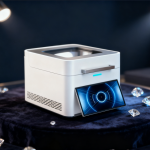
 Xrf Gold Analyzer
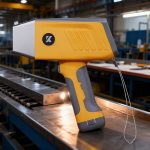 Handheld Alloy Analyzer
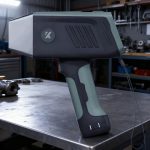 Handheld Mining Analyzer
 Other XRF Analyzer
XRF analyzer data export becomes valuable when it connects a test result to an item ID, photo, staff note and buying decision. For jewelry stores, the goal is not collecting files; it is making purchase records searchable and defensible.

Quick buyer answers
| Best fit | Jewelry stores, multi-counter buyers and pawnshops that want better item records after daily XRF testing. |
| Primary risk | Results are saved without item context, so staff cannot match the reading to the original jewelry item later. |
| Action | Send sample photos, daily volume, target metals, destination address, voltage and preferred shipping route before final quotation. |
Define the record before exporting data
- Create an item ID rule before testing starts.
- Connect the item photo, operator, date and result file.
- Separate customer-facing notes from internal review notes.
- Keep a consistent naming format for branches or counters.
Decide what needs to be searchable
- Track karat or target metal, item type, test point and quote decision.
- Mark retested or disputed items so managers can find them quickly.
- Do not store unnecessary personal information in ordinary export files.
- Keep file access limited to staff who need the records.
Use exports to improve daily workflow
- Review mismatched results during staff training.
- Find repeat supplier or lot problems faster.
- Prepare support files when a machine or software question appears.
- Use records to decide whether a stronger model or different workflow is needed.
Decision table
| Decision point | What to check | Why it matters |
|---|---|---|
| Item ID | Connects result to jewelry item | Prevents lost context |
| Photo | Shows sample and test point | Supports later review |
| Operator note | Explains retest or exception | Improves training |
| Export folder | Keeps records searchable | Reduces dispute time |
Recommended WiserMachine path
Start with WM5800 XRF analyzer, then compare WM5800T XRF analyzer and the full WiserMachine XRF product catalog. For model fit, sample workflow, configuration or freight planning, send details through the contact page before final quotation.
Related guides
Continue with gold buying fraud warning signs, XRF gold testing machine running cost, mixed jewelry lot sample preparation, XRF analyzer report review before shipment, silver jewelry XRF testing workflow, sample chamber size guide, support ticket checklist and the WiserMachine support center.
Need a practical XRF model recommendation?
Send your sample type, daily testing volume, target metals, destination address, voltage and preferred shipping route. WiserMachine will recommend a suitable model and confirm configuration before quotation.
Frequently Asked Questions
Why export XRF analyzer data?
Data export helps connect test results with item records, photos and purchase decisions for later review.
Should exported files include customer personal data?
Keep personal data out unless the business has a lawful reason and proper controls.
Which models should stores compare?
WM5800 and WM5800T are practical options to discuss for jewelry counter records and export workflow needs.